
Ness City Computer Service LLC

Home › Blog › Security
Security

QR Code Scams: Why That Parking Meter Sticker Could Cost You

By Chris Harrison · October 8, 2026 · 4 min read

QR codes are everywhere: restaurant menus, parking meters, flyers, package slips and even emails. They’re convenient — and that’s exactly why scammers use them. You can’t read a QR code with your eyes, so you don’t know where it’s taking you until you’re already there.

Using a QR code to trick someone is sometimes called “quishing” (QR + phishing).
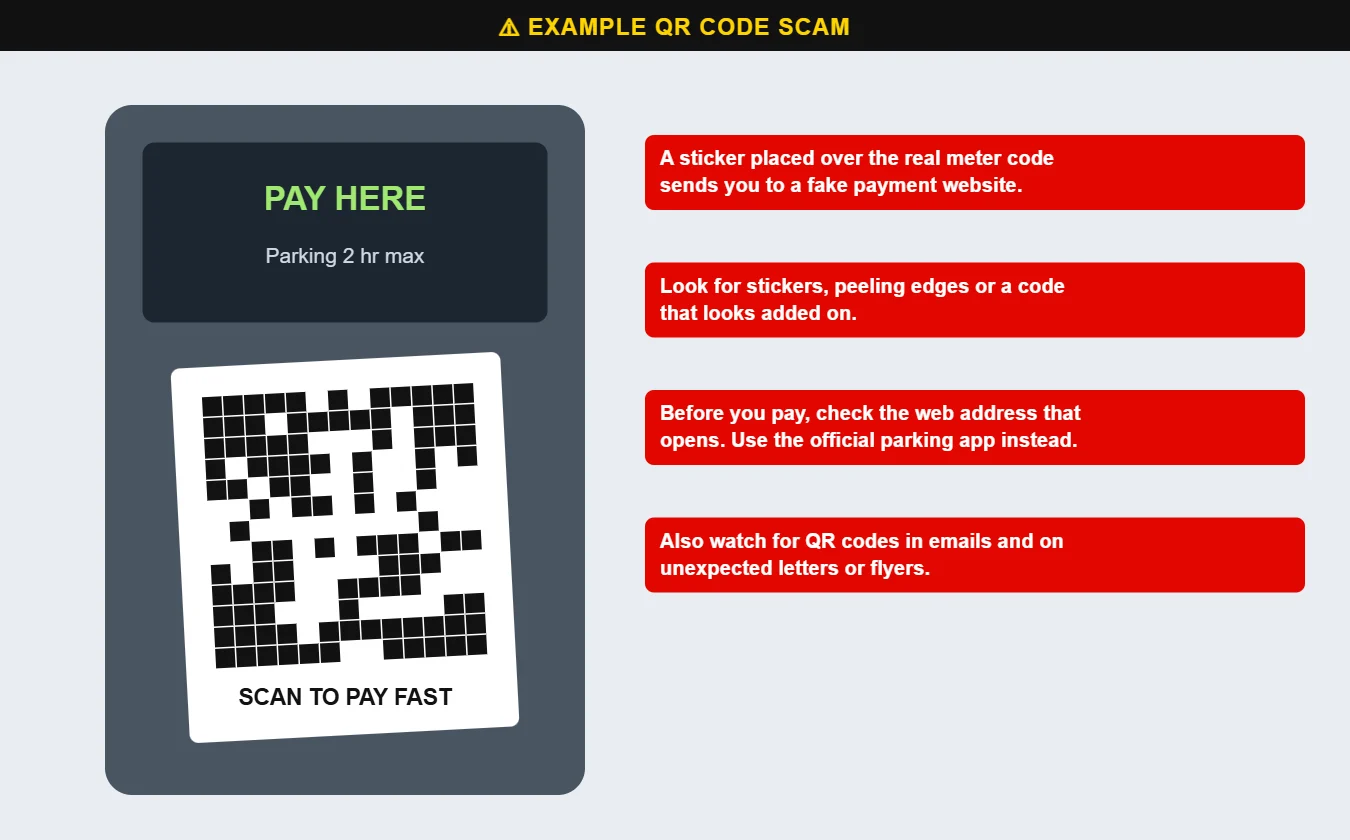
Example of a fake QR code sticker on a parking meter
A fake QR sticker placed over a real parking meter code. It leads to a look-alike payment site.

Common QR code scams

  • Stickers on parking meters and pay stations that send you to a fake payment page to steal your card number.
  • QR codes in emails — often “scan to re-enable your account” or “scan to view your document.” Scammers use QR codes because email filters can’t easily read where they lead, and because you’ll open the link on your phone, away from your work computer’s protections.
  • Codes on flyers, mailers and unexpected packages offering prizes, discounts or delivery updates.

How to scan safely

  1. Look before you scan. Check for stickers, peeling edges or a code that looks added on top of signage.
  2. Check the address before you tap. Most phone cameras show a preview of the web address. If it doesn’t match the business, don’t open it.
  3. Use the official app or website for parking, utilities and payments instead of a code you found on the street.
  4. Never scan a QR code in an email to sign in, verify an account or “fix” a problem. Go to the site yourself.
  5. Don’t enter passwords or card numbers on a page you reached from a QR code unless you’re sure it’s legitimate.

If you already paid

Call your bank or card company right away to block the card and dispute the charge. If you typed in a password, change it and turn on two-factor authentication. Questions? Call us at 620-960-8711.

Want more free guides like this? Browse our Scam & Security Library — real examples of phishing emails, scam texts, fake pop-ups and more.

Chris Harrison, owner of Ness City Computer Service
About the author
Chris Harrison

Chris owns Ness City Computer Service and has more than 30 years of IT experience helping Kansas homes and businesses keep their technology running and secure.

Have a question about your tech?

Call the local guys. We’re happy to help — no pressure.

Services

How we can help

Computer repair & PC sales

Managed IT services

Cybersecurity

Networking & Wi-Fi

Backup & disaster recovery

VoIP business phones

Surveillance & alarms

Web design & hosting

Scroll to Top
