
Ness City Computer Service LLC

Ness City Computer Service LLC
Online marketplaces are a great way to sell a riding mower, a couch or a set of tires. They’re also full of fake buyers. Here are the scams we hear about most and how to avoid them.
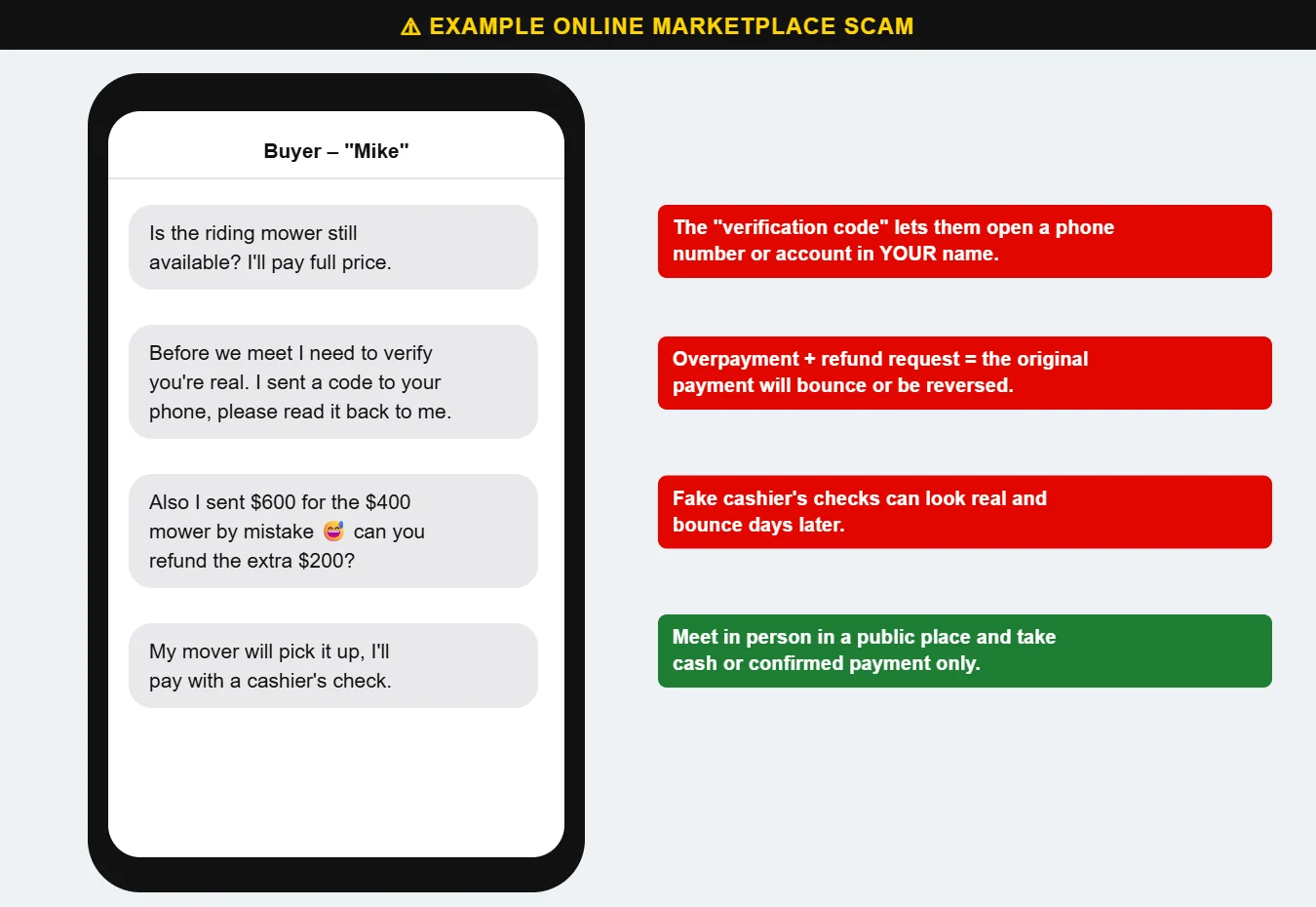
The “buyer” says they want to make sure you’re a real person and sends you a code by text. That code is actually being used to set up a phone number or account in your name — which they’ll use for other scams. Never share a code sent to your phone with anyone.
A buyer “accidentally” sends more than your asking price and asks you to refund the difference. The original payment is fake, stolen or will be reversed — and the refund you send is real money out of your pocket.
The buyer can’t meet in person and offers a cashier’s check or money order. Fake checks can look completely real, and your bank may make the money available before discovering the check is bad days later. You’re responsible for the full amount.
You get an email that says payment is “pending” until you send a shipping number or pay a fee. Real payment apps don’t work that way. Check the app itself, not your email.
Buying? The same rules apply in reverse: see it in person before paying, and be wary of prices that seem too good to be true. Questions? Call us at 620-960-8711.
Want more free guides like this? Browse our Scam & Security Library — real examples of phishing emails, scam texts, fake pop-ups and more.