
Ness City Computer Service LLC

Home › Blog › Security
Security

AI Voice Cloning and the "Grandparent Scam": When a Loved One's Voice Isn't Real

By Chris Harrison · October 8, 2026 · 5 min read

The phone rings late at night. It’s your grandson’s voice — scared, crying. He’s been in an accident or arrested. He needs money for bail or a lawyer, and he begs you not to tell his parents.

The “grandparent scam” has been around for years. What’s new is that criminals can now use artificial intelligence to copy a real person’s voice from a short video posted on social media. It can sound exactly like someone you love.
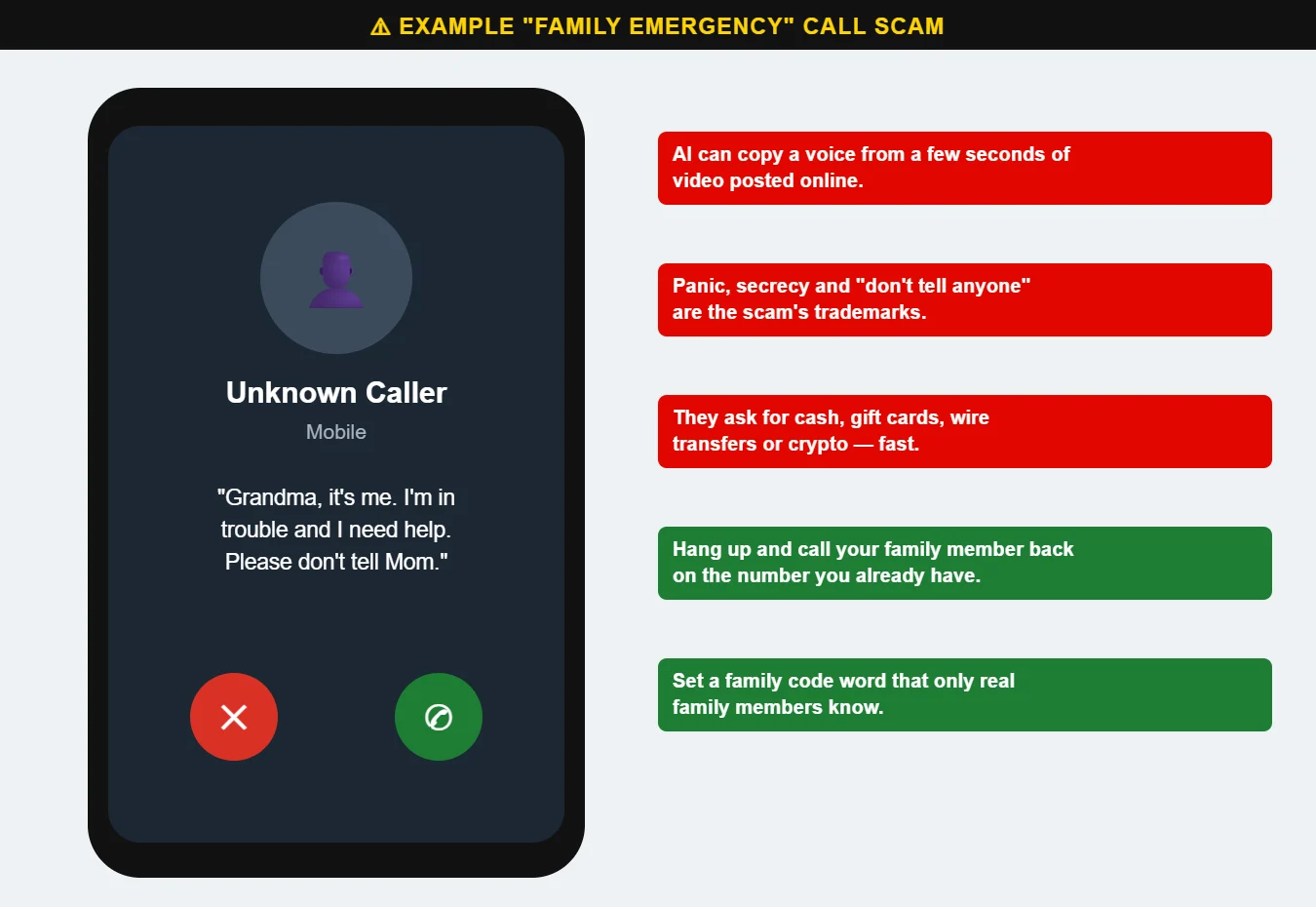
Example of a family emergency scam phone call
The family emergency scam relies on panic and secrecy. A family code word stops it cold.

Warning signs

  • An emergency that needs money right now — bail, a hospital bill, a lawyer, a car accident.
  • Secrecy: “Please don’t tell Mom and Dad.”
  • A second person takes over — a “lawyer,” “officer” or “bail bondsman” who explains how to pay.
  • Unusual payment methods: cash picked up by a courier, gift cards, wire transfers or cryptocurrency.
  • A call from an unknown or blocked number, or the caller says their phone is broken.

What to do

  1. Hang up. It feels wrong, but it’s the right move.
  2. Call your family member back on the number you already have — or call their parents or spouse.
  3. Ask a question only the real person would know, or use your family code word.
  4. Never send cash, gift cards, wires or crypto because of a phone call.

Set up a family code word today

Choose a word or phrase that only your family knows and that isn’t on social media. If someone calls with an emergency, ask for the code word. A scammer — even one with a perfect copy of a voice — won’t know it.

It’s also worth keeping social media profiles private and thinking twice about posting videos of children and grandchildren publicly.

Share this post with parents and grandparents. Questions? Call us at 620-960-8711.

Want more free guides like this? Browse our Scam & Security Library — real examples of phishing emails, scam texts, fake pop-ups and more.

Chris Harrison, owner of Ness City Computer Service
About the author
Chris Harrison

Chris owns Ness City Computer Service and has more than 30 years of IT experience helping Kansas homes and businesses keep their technology running and secure.

Have a question about your tech?

Call the local guys. We’re happy to help — no pressure.

Services

How we can help

Computer repair & PC sales

Managed IT services

Cybersecurity

Networking & Wi-Fi

Backup & disaster recovery

VoIP business phones

Surveillance & alarms

Web design & hosting

Scroll to Top
