
Ness City Computer Service LLC

Home › Blog › Security
Security

"Is This You in This Video?" How Hacked Social Media Accounts Spread Scams

By Chris Harrison · October 8, 2026 · 4 min read

The message comes from someone you know — a cousin, a church friend, a co-worker. “OMG is this you in this video??” Or: “Can you send me the code that just came to your phone? I got locked out.”

It really did come from their account. But your friend didn’t send it. Their account was taken over, and now the scammer is using their name to get to you.
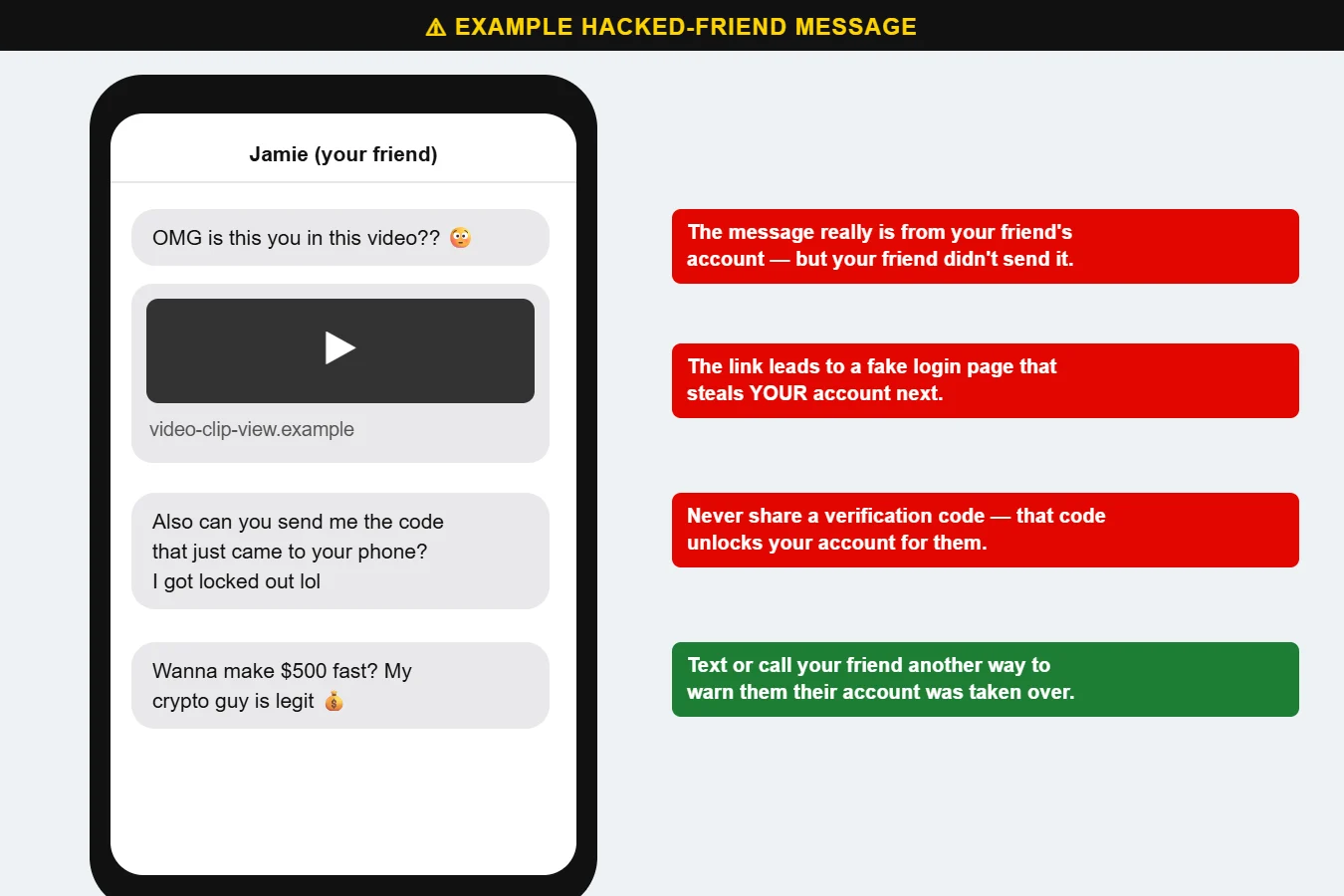
Example of scam messages sent from a hacked friend account
Messages from a hacked friend’s account. Each one is designed to take over YOUR account next.

The most common versions

  • “Is this you?” video links that lead to a fake login page. Sign in, and your account is next.
  • “Send me the code” — that code is a password reset or verification code for your account.
  • Money and investment pitches: “I made $5,000 with this crypto guy,” or a request to help with an emergency.
  • Prize and giveaway posts shared from friends’ accounts.

How to protect yourself

  • Never share a verification code with anyone, for any reason.
  • Don’t log in through a link in a message. If you’re already in the app, you don’t need to sign in again.
  • Verify by another channel. Call or text your friend directly. If their account was hacked, they’ll want to know.
  • Turn on two-factor authentication in your social media account’s security settings.
  • Check your recovery email and phone number are current so you can get back in if something happens.

If your account was taken over

Use the platform’s official account recovery page right away, change your password, turn on two-factor authentication and remove any devices or apps you don’t recognize. Then post or message friends to warn them. If you’re locked out completely, Call us at 620-960-8711 and we’ll help you through the recovery process.

Want more free guides like this? Browse our Scam & Security Library — real examples of phishing emails, scam texts, fake pop-ups and more.

Chris Harrison, owner of Ness City Computer Service
About the author
Chris Harrison

Chris owns Ness City Computer Service and has more than 30 years of IT experience helping Kansas homes and businesses keep their technology running and secure.

Have a question about your tech?

Call the local guys. We’re happy to help — no pressure.

Services

How we can help

Computer repair & PC sales

Managed IT services

Cybersecurity

Networking & Wi-Fi

Backup & disaster recovery

VoIP business phones

Surveillance & alarms

Web design & hosting

Scroll to Top
