
Ness City Computer Service LLC

Ness City Computer Service LLC
You open a news story or a local business website and the page goes gray. A box appears: “Your browser is out of date. Update now to view this page.” There’s a big blue button and a small file ready to download.
It looks helpful. It’s actually one of the most common ways criminals install password-stealing malware today — often on legitimate websites that have been hacked.
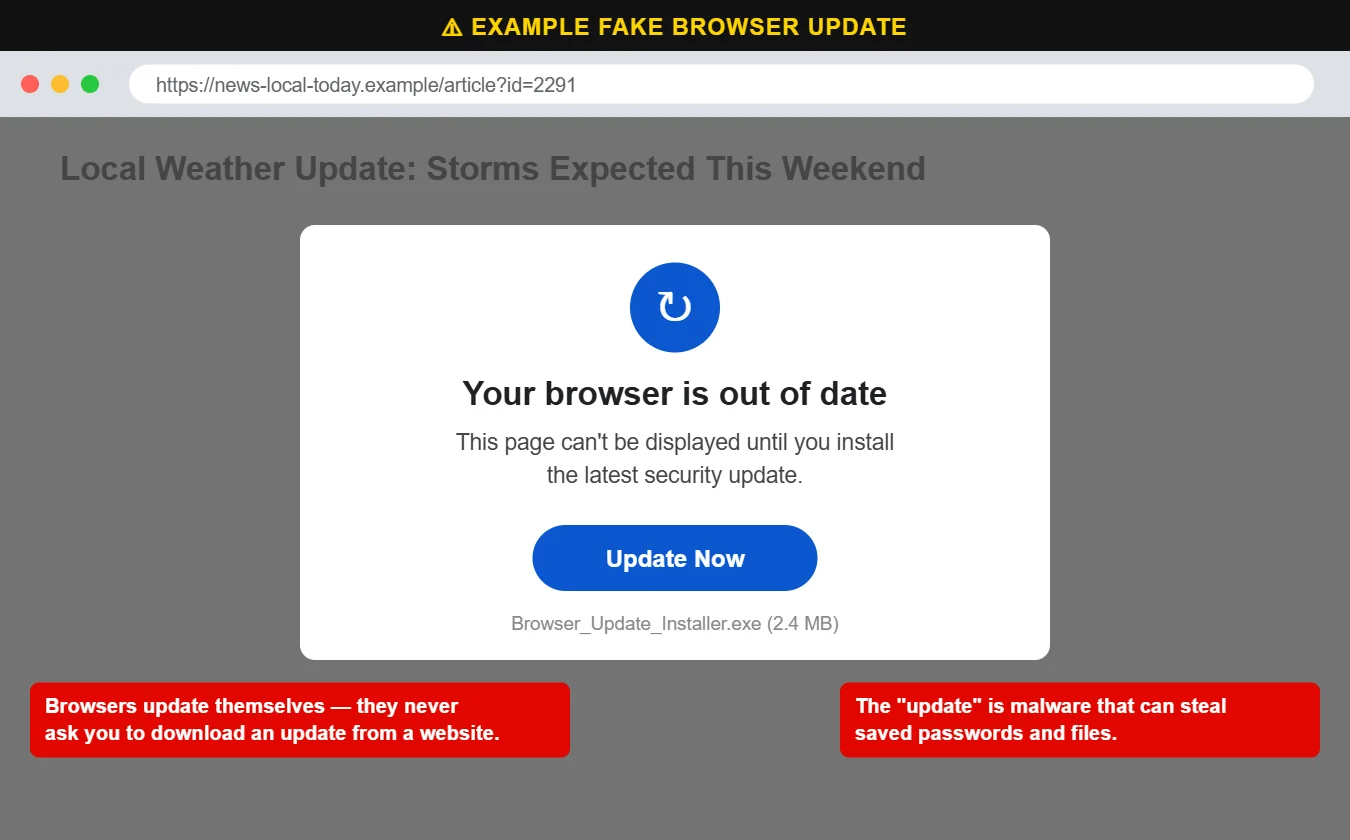
Chrome, Edge, Firefox and Safari update themselves in the background. At most, you’ll see a small “Update” or “Relaunch” button in the browser’s own toolbar or settings menu — never a pop-up inside a web page asking you to download a file.
Call us at 620-960-8711 — we can tell you quickly whether a file is safe. For businesses, managed cybersecurity blocks many of these downloads before they run.
Want more free guides like this? Browse our Scam & Security Library — real examples of phishing emails, scam texts, fake pop-ups and more.