
Ness City Computer Service LLC

Home › Blog › Security
Security

MFA Fatigue: Why You Should Never Tap "Approve" on a Sign-In You Didn't Start

By Chris Harrison · October 8, 2026 · 4 min read

Two-factor authentication (also called MFA) is one of the best things you can do to protect your accounts. But attackers have found a way to turn it against you: they simply ask over and over until someone says yes.
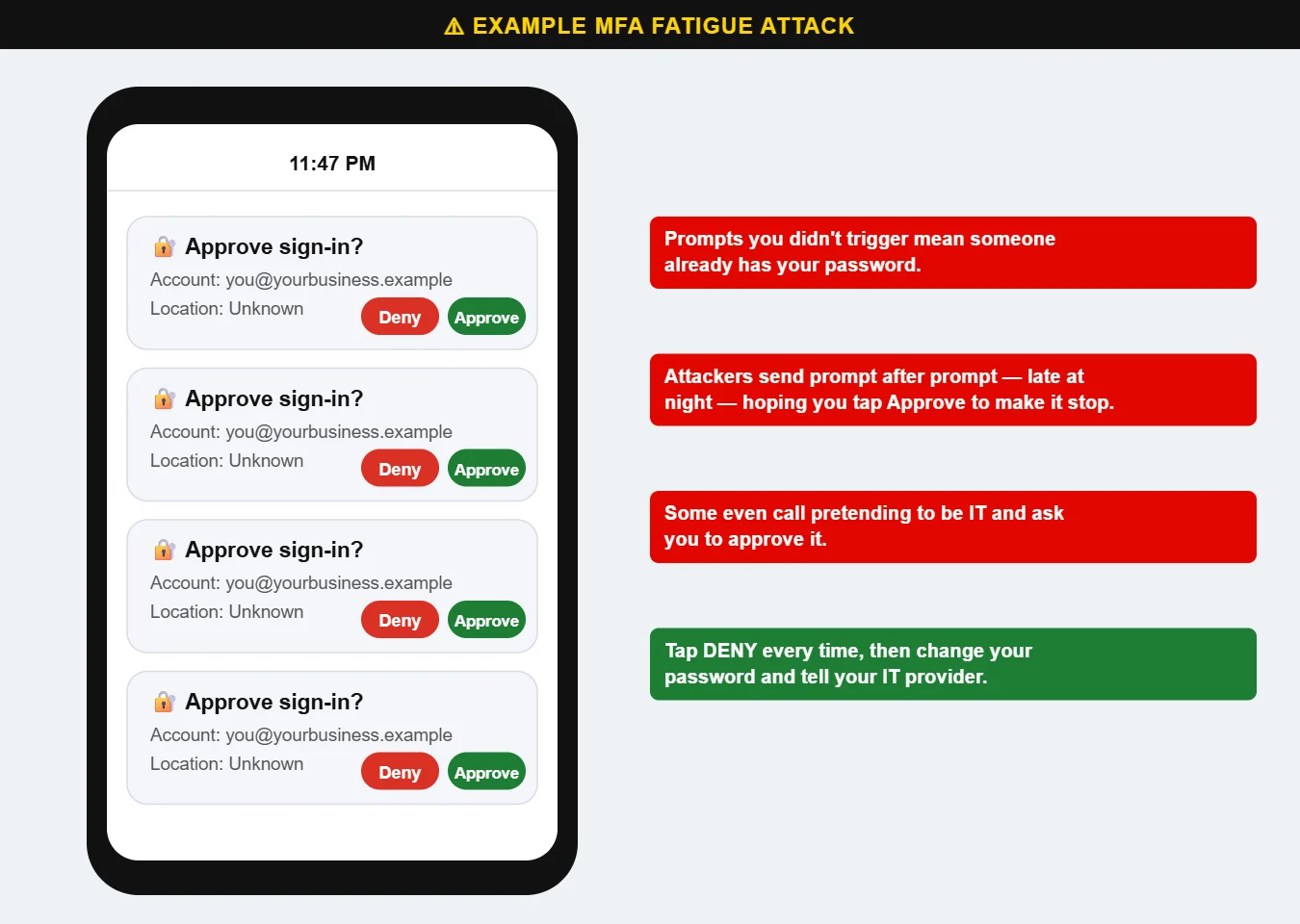
Example of repeated MFA sign-in approval prompts on a phone
Repeated approval requests late at night are a classic MFA fatigue attack.

How an MFA fatigue attack works

  1. The attacker already has your password — from a phishing page, a data breach or a reused password.
  2. They try to sign in, which sends an “Approve sign-in?” request to your phone.
  3. They keep trying — sometimes dozens of times, often late at night — hoping you’ll tap Approve just to make it stop, or by accident.
  4. Some attackers even call or text pretending to be your IT department: “We’re fixing your account; just approve the prompt.”

What to do if you get a prompt you didn’t expect

  • Tap Deny. Every time. Never approve a sign-in you didn’t start.
  • Change your password right away — an unexpected prompt means someone already has it.
  • Tell your IT provider so they can check for other suspicious activity.

Make MFA stronger

  • Use number matching. Many authenticator apps now make you type a number shown on the sign-in screen, which stops accidental approvals. Make sure it’s turned on.
  • Use an authenticator app or security key instead of text-message codes where you can.
  • Never read a code to someone over the phone. Real IT staff don’t need it.
  • Use a unique password for every account so one breach doesn’t open everything (see Password Safety 101).

We set up and manage two-factor authentication for businesses as part of our managed cybersecurity. Call us at 620-960-8711 to get your team protected.

Want more free guides like this? Browse our Scam & Security Library — real examples of phishing emails, scam texts, fake pop-ups and more.

Chris Harrison, owner of Ness City Computer Service
About the author
Chris Harrison

Chris owns Ness City Computer Service and has more than 30 years of IT experience helping Kansas homes and businesses keep their technology running and secure.

Have a question about your tech?

Call the local guys. We’re happy to help — no pressure.

Services

How we can help

Computer repair & PC sales

Managed IT services

Cybersecurity

Networking & Wi-Fi

Backup & disaster recovery

VoIP business phones

Surveillance & alarms

Web design & hosting

Scroll to Top
